
Simulation
Overview of the simulation
This challenge could be solved in a natural setting where there is a male chameleon, a female chameleon and a bird as a predator.
The three agents (male, female and bird) could move around the stage and the male chameleon change color when interacting (touching or being close) with the female or the predator.
When approaching the female he would turn pinkish and when interacting with the predator it would change its color to reddish-yellow.
The WHY behind the simulation
The color change of the male panther chameleon is not only a fascinating phenomenon in nature, but it also offers us a window to better understand concepts of communication and adaptation. In everyday life, both humans and animals use visual cues to communicate and adapt to different situations. By observing how the panther chameleon changes its colors during courtship, confrontations with predators, and competitions with other males, students can reflect on how visual cues play a crucial role in social interaction and survival. This challenge enables us to these concepts through modeling, promoting a deeper understanding of biology and communication.
Furthermore, the simulation of color change in the panther chameleon can be a powerful metaphor for discussing issues related to adaptation and flexibility in our lives. In the educational and professional field, the ability to adapt to different situations is an invaluable skill. Just as the chameleon changes color to meet different challenges in its environment, we as individuals must also learn to adjust our behavior and strategies in response to various circumstances. This challenge invites us to think critically about how we can apply adaptation and flexibility in our daily lives, both in academic and personal contexts.
Finally, this challenge can also be connected to the technological and creative field. The ability to change and adapt is essential in fields such as design, programming and engineering. By modeling panther chameleon behavior, we can look at parallels with how algorithms and technologies must adapt to different users and conditions. This activity not only enriches your scientific understanding, but also fosters an innovative and adaptive mindset, crucial for solving complex problems in an ever-changing world.
Simulation Walkthrough
In this challenge we will first work with the internal states of the agents (their “traits”). The agents themselves, when created, have three states or traits: their shape (as if it were a costume); their color and their size.
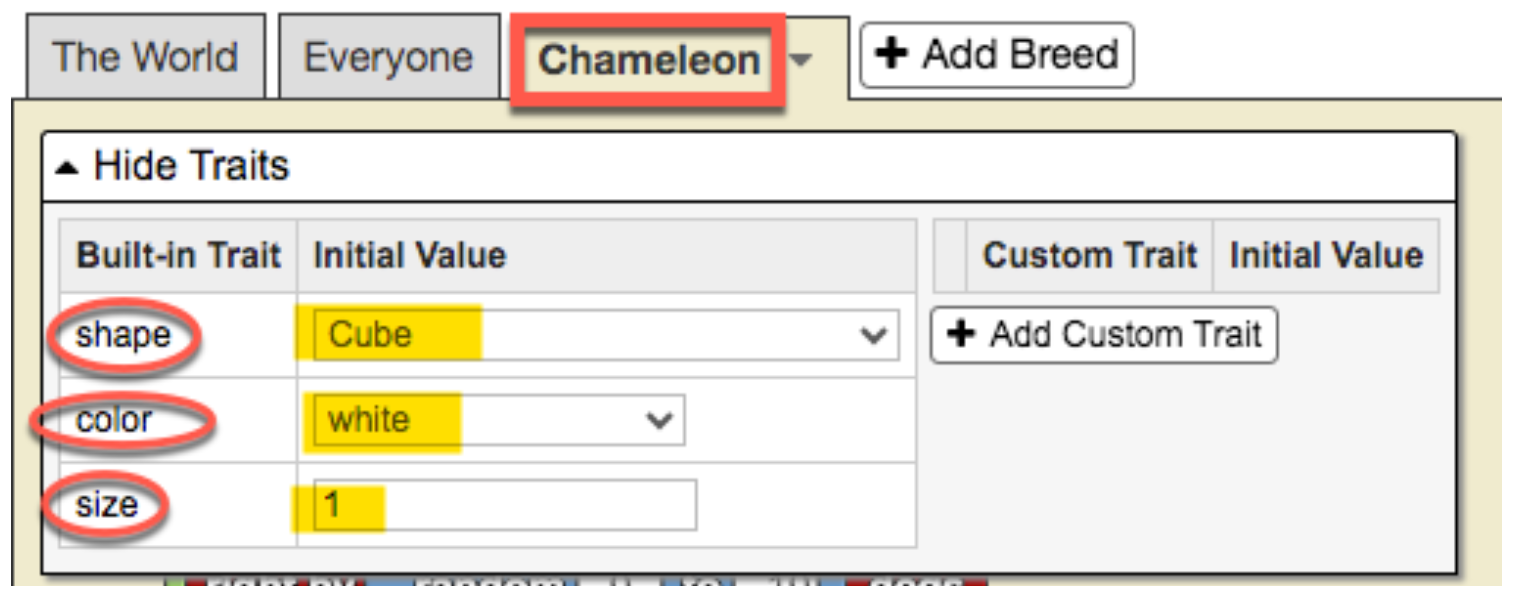
As can be seen in the previous figure, the default values of these three states are:
-
Shape: Cube
-
Color: White
-
Size: 1
Initially we are going to create three breeds of agents: male chameleon; female chameleon; and bird (predator).
Create agent breeds
We will leave the scenario for this challenge as it is, but eventually trees, grass, bushes, rocks, etc. could be added. (see section “Possible extensions”)
-
Click on My projects → Create new project
-
Name the project. Click where it says “Title” and write there “CHAMELEON” (or whatever name you want).
-
For now we will leave the description of our model as it is by default.
-
We go to the bottom of the interface, where the “Turtle” tab appears and click on “Rename Breed”
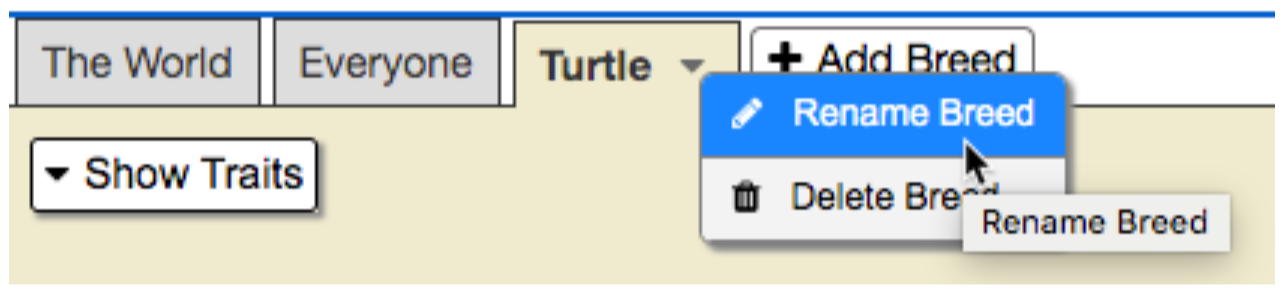
- We rename the “Turtle” breed as “Male Chameleon” and we will see that the green “Run code” button appears, we click on it to turn it off.
-
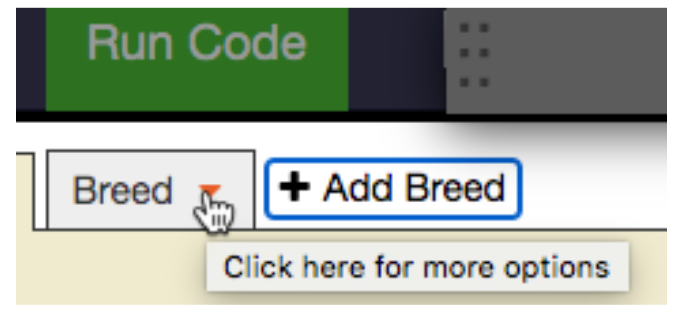 By default, when we create a model in StarLogo NOVA, there is always the breed “Turtle”, but of course you can rename that breed (just as we have done) and also add new breeds, which is what we will do now. To add a new breed, click on the “tab” Add Breed and we will see that a new tab is added with the name “Breed”. By clicking on the orange triangle, we can rename the new breed with the name we choose. In our case, we will call it “Female Chameleon”.
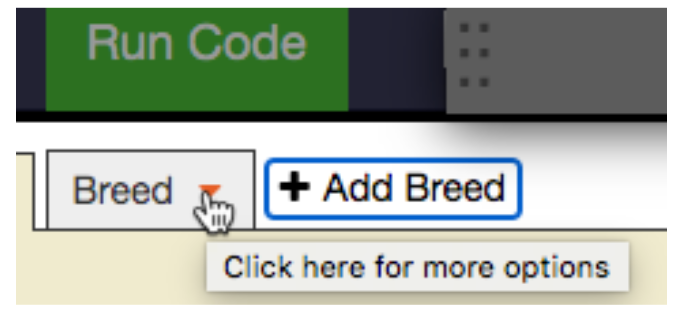
 - We repeat the procedure to add the “Bird” breed and we are left with the three created breeds:

Set the initial internal states of the agents
Once we have the three breeds of agents created, now we have to create the agents themselves, starting with an agent male chameleon…..
Teacher's Toolbox
This simulation opens the doors to emphasize the relationship between color change and courtship. Explain, for example, how male chameleons change color to attract females, exhibiting vibrant colors that indicate their health and vitality. Not only is this behavior an example of sexual selection, but it also offers an opportunity to discuss how organisms develop specific characteristics to increase their chances of reproduction. It can be an opportunity to encourage students to observe and record variations in color patterns during courtship and to relate them to concepts of evolutionary biology and animal behavior.
In addition, of course, to explore how color change is an evolutionary strategy against predators. Explain that chameleons have the ability to change their coloration to camouflage themselves in their environment and avoid being detected by predators such as birds of prey and owls. This phenomenon can be linked to concepts of adaptation and natural selection, highlighting how chameleons that are more efficient at camouflage are more likely to survive and reproduce. Encourage discussion about other defensive strategies in the animal kingdom and how these contribute to the survival of species. This activity can not only enrich your students' understanding of evolutionary mechanisms, but also the complexity and beauty of adaptations in nature.
Expanding the simulation
-
Add fixed objects to give the scene a more realistic look. Investigate what the natural settings of chameleons are like. What other agents could we add to add realism to the scenario? Fixed or mobile agents? Vary agents in size and distribution.
-
Modify the scenario by stamping a part with a different color to simulate a fixed element such as water with a blue ellipse. What other colors could be used and for what landscape elements?